Playtesting

Ask any game designer, and they will tell you that playtesting is the single most important part of the development process. Put simply, playtesting is exactly what it sounds: time spent playing a working prototype of a game, with emphasis on stress-testing the mechanics and rules for playable and fun. Playtesting is critically important, since it allows you to see flaws (or benefits) in your game’s design that you might not have thought of in the Design phase. Additionally, it allows you to see what parts of the game, or its artistic style, are attractive (or unattractive) to potential players.
For our purposes, there are two main types of playtesting: digital and in-person. Both have positive and negative factors, and may impact how your game is perceived by players. Digital playtesting allows for testing across long distances, and can reflect changes made with relative ease. In contrast, in-person playtesting can be more user-friendly and allows for a representation of the tactile experience of playing your game (which can be useful for judging things like card size and text legibility).
However, don’t be deceived by this step. Playtesting is not simply time spent playing your game; playtesting must be intentional with concrete and measurable goals for each playtesting session. This could include testing a changed game mechanic, observing players to judge their engagement with various parts of a game, or tracking how long it takes to play a game to completion for the first time.
Playtesting can be a deceptively complex topic to the unprepared, so knowing what to do (and what not to do) before beginning your first playtesting session is important to ensuring that your game reaches the heights it was meant to reach.
This section will detail important theories or principles for playtesting, before recommending software used to playtest in a digital environment.
Before You Playtest
Introduction to Digital Playtesting How It Works and Why We Love It (Re-broadcast)
This resource is an introductory discussion to Digital Playtesting, presented during Panelspiel Online, an annual virtual conference for tabletop game designers. This talk is presented by three industry insiders, representing diverse backgrounds in the development ecosystem. They talk about the benefits and challenges of digital play testing, including accessibility, cost-effectiveness, and platform learning curves. This resource will help you embrace digital playtesting for its accessibility and community-building benefits.
Playtest Groups (Fun Problems #74)
This resource is an introductory discussion to playtesting groups, a common, semi-professional means of testing a prototype with two or more people. It is hosted by board game designer Peter C. Hayward. He posits that in-person playtesting with other game designers is the strongest means for playtesting your own prototype. Even without meeting that standard, this resource offers strong guidance on what to look for in a playtesting session. Here, you’ll learn the importance of establishing a supportive, inclusive community that values feedback and collaboration.

This resource is a discussion of SAZ, a tabletop developer’s convention held in the Netherlands. Developer Arjan van Houwelingen, a game designer who frequently gives lectures on game design at the Hanze Applied University in the Netherlands, discusses his experience working in a professional conference setting where various games are being tested (including his own). As an added benefit, this source discusses pitch/sell documents, and how they can be useful for quickly getting playtester up to speed on your game’s design and market.
Playtesting Software

:strip_icc()/pic7585190.png)

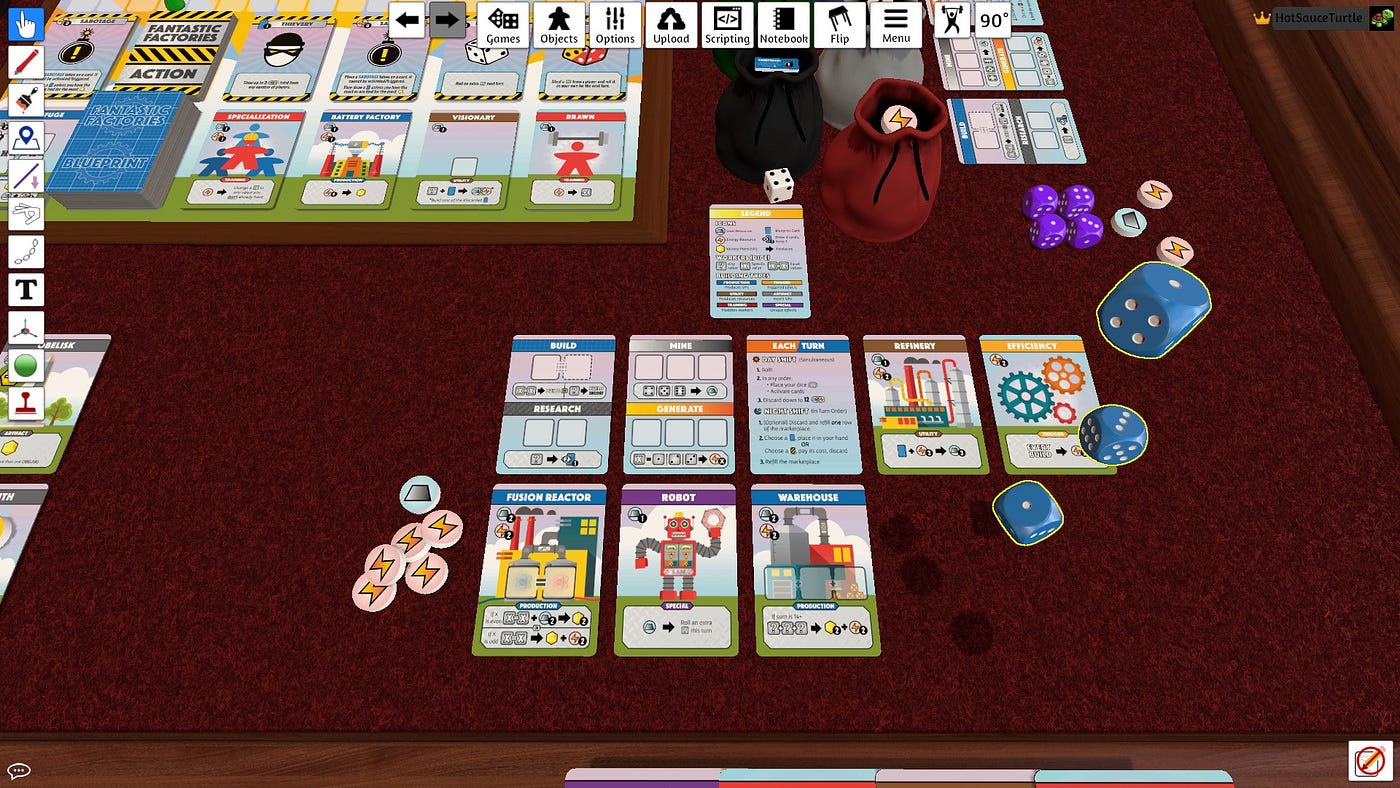
This resource is a video game that allows players to play and create tabletop games in a multiplayer sandbox environment. It features intuitive controls and internet-based multiplayer, making it a staple for digital playtesting across the tabletop genre. The included custom deck maker allows designers to upload images of their cards to import into the title. This resource can have a steep learning curve, depending on your experience with video games and your success in using the custom deck maker. For reference, the developers of Tabletop Simulator have produced a series of easy-to-follow tutorials for learning the software.
A free alternative to Tabletop Simulator, Playingcards.io is a browser-based sandbox environment, which allows designers to test custom cards in a variety of scenarios. It has significantly fewer options than Tabletop Simulator, but is more easily accessible and simple to learn. If you’re just starting out, are on a tight budget, or don’t want to invest the time to learn Tabletop Simulator, this resource may be a good way for you to include digital playtesting in your design process.