Graphic Design
Graphic Design can refer to a wide variety of topics when it comes to game development. For our purposes, Graphic Design refers to the general aesthetic (style) that your game is designed around, and the layout of individual cards. The style of your game should be carefully considered, and, if you’re planning to publish your finished title, align with your intended target audience.
Likewise, the layout of your cards is crucial. Beyond the artistic and aesthetic concerns is the problem of usability. Players need to understand card information quickly, consistently, and under a variety of conditions (dim lighting, crowded tabletops, or fast-paced gameplay). Poorly designed cards can cripple an otherwise fun and engaging game. Elements such as iconography, typography, color contrast, and information hierarchy all contribute to whether players feel confident and comfortable interacting with your game. Fonts should be legible, and text must not be too cramped within a small space. Most importantly, the player needs to be able to glance at your cards and discern important information without headache.

This card from The Binding of Isaac: Four Souls uses horizontal hierarchy: all necessary information is contained within the bottom half of the card, and is formatted with near-equal importance. Text is readable, and less important information is contained to the bottom of the card.
Because of this, it is important to consider various resources related to market research and design principles. Studying similar games in your genre can reveal common visual languages and expectations. Early prototyping and playtesting should feature a discussion about visual flow or clarity before you heavily invest in the final design of your cards.
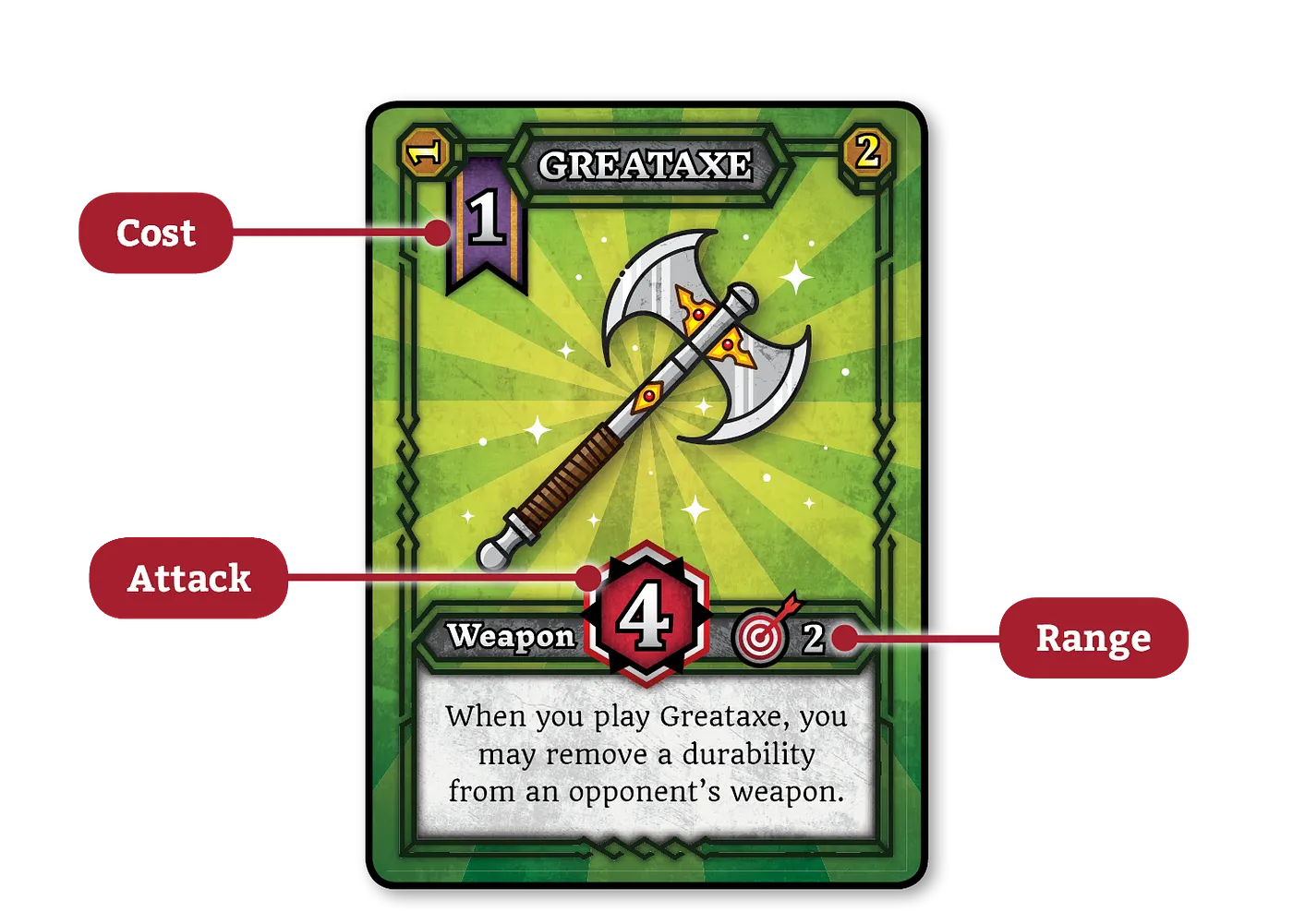
This card from Mephisto uses vertical hierarchy: necessary information is spread throughout the card depending on need, with size and placement giving emphasis to certain information over others. The cost, a resource needed to play the card, is the first thing the player sees, and is placed in a such a way that it’s visible while in a hand. The attack, the most important element, is large, centered, and uses a bold color scheme to draw emphasis.
When searching databases for information on graphic design for card games, it is important to specify your area of interest (the type of game you're researching for) and exactly what you're looking for (graphic design). Consider something like the following:
Search terms: ((collectible card game) OR (Trading Card Game)) AND ((design) OR (Visual))
Market Research
This resource is without a doubt the single best source for information on all tabletop games, including CCGs and LCGs. With over 2 million registered users, BGG is the largest community of hobbyists and designers in one place. Their database organizes information about thousands of tabletop games and exists alongside a Wikipedia-styled wiki of commonly-used and important terms for the industry. They also host blogs, reviews, session information (typically a recap of a single play through of a game, used for consumer awareness), a marketplace for buying and selling games, and a community forum. Most individuals listed throughout this guide will have an active account on BGG. It is an invaluable resource for learning about what games are on the market, and what potential players are interested in.

This resource is a third-party marketplace for CCGs, and is but one of many potential alternatives. Marketplaces like TCGPlayer allow for game and hobby shops to make online storefronts, unlocking the potential to reach broad audiences outside their local service area. For our purposes, this resource is useful to know the current market rates of various games, from those with market dominance to lesser-known titles. If you’re interested in creating a CCG, it is useful to browse a resource like this to get an idea of how other successful games are pricing and marketing their products.
Design Principles
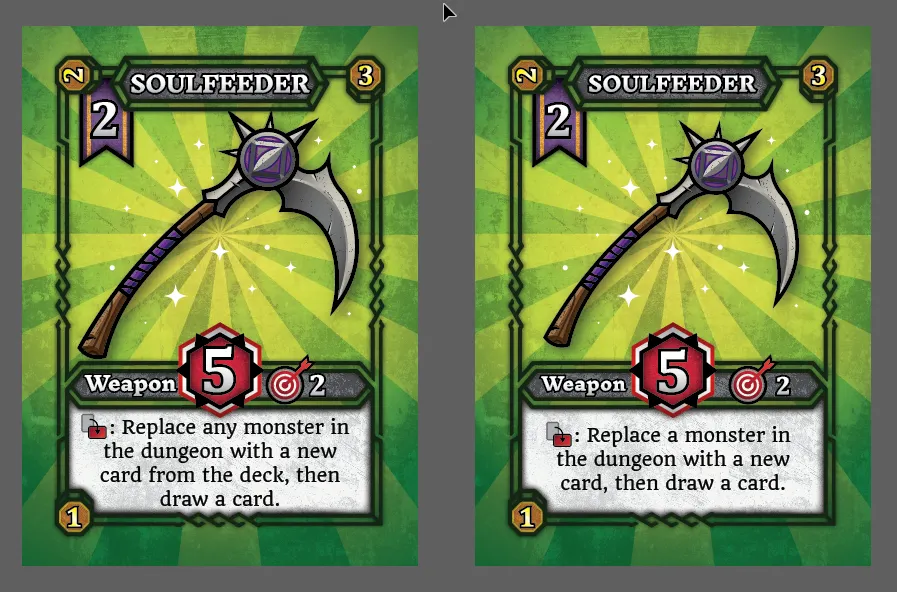
This resource is a discussion of card design by the developer of Mephisto (which was briefly discussed above). It is an excellent resource for learning how to avoid common mistakes about card layout when it comes to delivering information clearly to your players. This resource also offers an exclusive look at Mephisto’s development, featuring beta card designs that reveal how and why the layouts evolved throughout the design process. It expands upon the above discussion of typography, information hierarchy, and more.
Deceptive Game Design? Investigating the Impact of Visual Card Style on Player Perception

This resource comes from the 2025 IEEE Conference on Games (COG), an annual, international gathering of game researchers. It focuses on visual style, and how players associate a card’s visual aesthetic with its overall strength. This is often something designers pay attention to—frequently, cards with the most character or “cool factor” will be designed with strength in mind, making them a mainstay of a player’s experience with that deck or game. Interestingly, this resource discusses how different groups of players viewed cards as having greater or lesser strength depending on a cute or heroic style. This is a good resource for starting out, especially when considering an art style and target demographics for your title.
Kallabis, L., Bertram, T., & Rupp, F. (2025) Deceptive Game Design? Investigating the Impact of Visual Card Style on Player Perception. 2025 IEEE Conference on Games (CoG), 1-8. doi:10.1109/CoG64752.2025.11114299.

This resource comes from Duck Sauce Games, host of an annual Game Jam (an event in which designers come together and compete to create a game, typically a video game, in a short time frame) that features tabletop games. This resource discusses the design process in great detail, and features examples of early prototypes on index cards (often the first step in design and early playtesting). It discusses multiple published CCGs and how they incorporate gameplay mechanics like resource management into their visual design. This is a strong resource for both aspects of design discussed in this guide.

This resource is the annual Best Practices Booklet, an informal collection of interviews and articles styled after professional, academic journals. It is published annually by Cardboard Edison, a website run by game design duo Chris & Suzanne Zinsli, that collects discussions and articles about tabletop game design in one place. The entire journal is a good resource for game designers, but for our purposes, the article by Suzanne Zinsli and interview with Daniel Solis give great tips for graphic design. In particular, Solis’ article is a very condensed version of his recent book, Graphic Design for Board Games, which is another useful read.
Design Tools

This resource is a modern, browser-focused card/component builder for prototyping card designs that feel professional, even in the early stages. Dextrous is a popular choice for new designers due to its accessibility, ease-of-use, and integration with other services like Google Sheets (which allows you to see changes to a spreadsheet reflected in your cards without any extra work besides editing a value in the spreadsheet). Dextrous comes equipped with an interface for constructing cards using included resources (block colors and shapes) and allows for uploading custom designs. Design layouts can be saved and referenced back to for easy production of multiple cards. Completed designs can be exported for printing, or for easy use in Tabletop Simulator (discussed more in “Playtesting”). The following resource by game designer Pam Walls details some of the key features of Dextrous, and serves as an excellent introduction to the service.
Make a card game in 15 minutes (Dextrous tutorial)
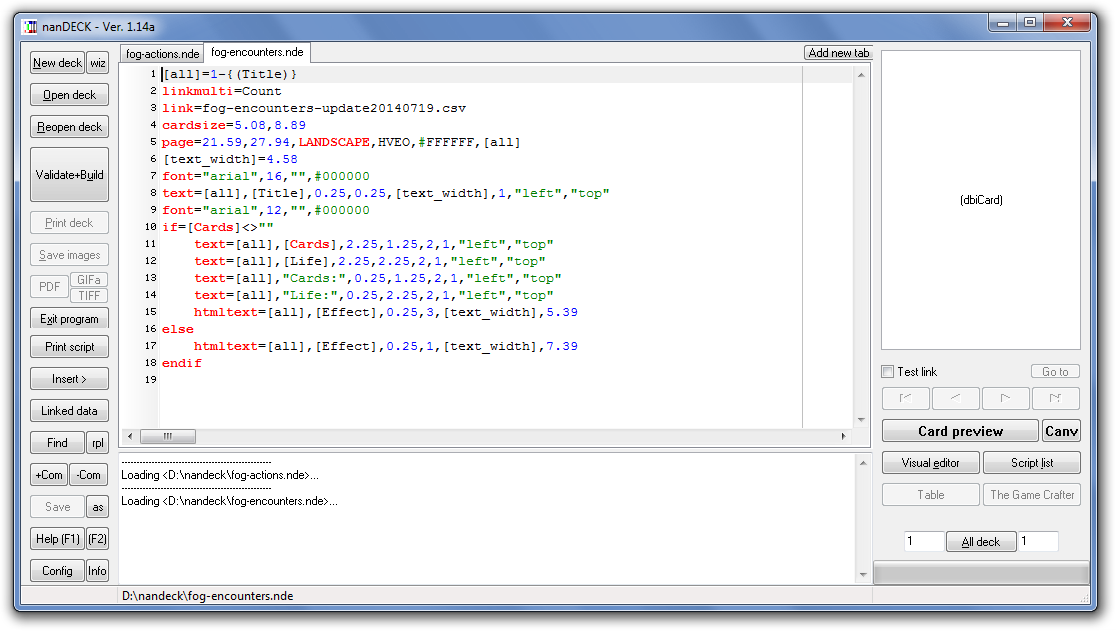
Nan Deck is similar to Dextrous, but offers much more functionality at the cost of accessibility. It offers fine control over print parameters such as DPI, exact cm/mm positioning, and vector import (discussed more in “Printing), and can output very large card sizes— useful when you plan to produce print-ready files or need exact print layouts. Like Dextrous, it links with various programs to dynamically reflect changes to cards without additional work. Unlike Dextrous’ easy-to-use user interface, Nan Deck features a programming-like interface: you write a small script that defines card ranges, fonts, positions, and links to CSV/Excel. This allows for mass production of cards with minor changes, but has a longer “set-up” process than other options.

As a paid alternative to the above, the Adobe Suite often sees usage in professional circles. It offers full control over typography, vector art, and image composition, along with precise tweaking of bleed, trim, and color management settings (see “Printing” for why this is useful). However, this resource struggles due to inaccessibility and its high cost compared to the free alternatives. It has a steeper learning curve and requires using multiple programs for different tasks. In addition, it lacks the integration with spreadsheets, necessitating individual, manual edits. Despite this, the control it offers to a knowledgeable user is unparalleled. Consider using it if your card design is complex or if you wish to avoid the browser-focused alternatives. For an open-source alternative, consider GIMP.